Honeypot appliance
The intruder finds a file server.
You find out immediately.
Tripwires puts a convincing decoy on your network — shared folders, a login prompt, files worth stealing. None of it is real. The moment anyone opens it, your phone tells you who, from where, and what they touched.
Installs from a USB stick in about 15 minutes. No Linux knowledge needed.
Most break-ins are quiet
Firewalls and antivirus try to keep people out. Nothing tells you when someone is already inside — walking your shares, reading your files, looking for what is worth taking. A honeypot is the one control whose whole job is to notice that.
Nothing real to lose
Every file, share and login on the decoy is fake. There is nothing on it worth stealing, so touching it is never an accident.
No false alarms
Legitimate users have no reason to open a machine that is not part of their work. An alert from Tripwires means something.
Sealed off by design
The decoy can be reached, but it can never start a connection back into your real network. Containment is enforced, not assumed.
What you get
Decoys that look like your network
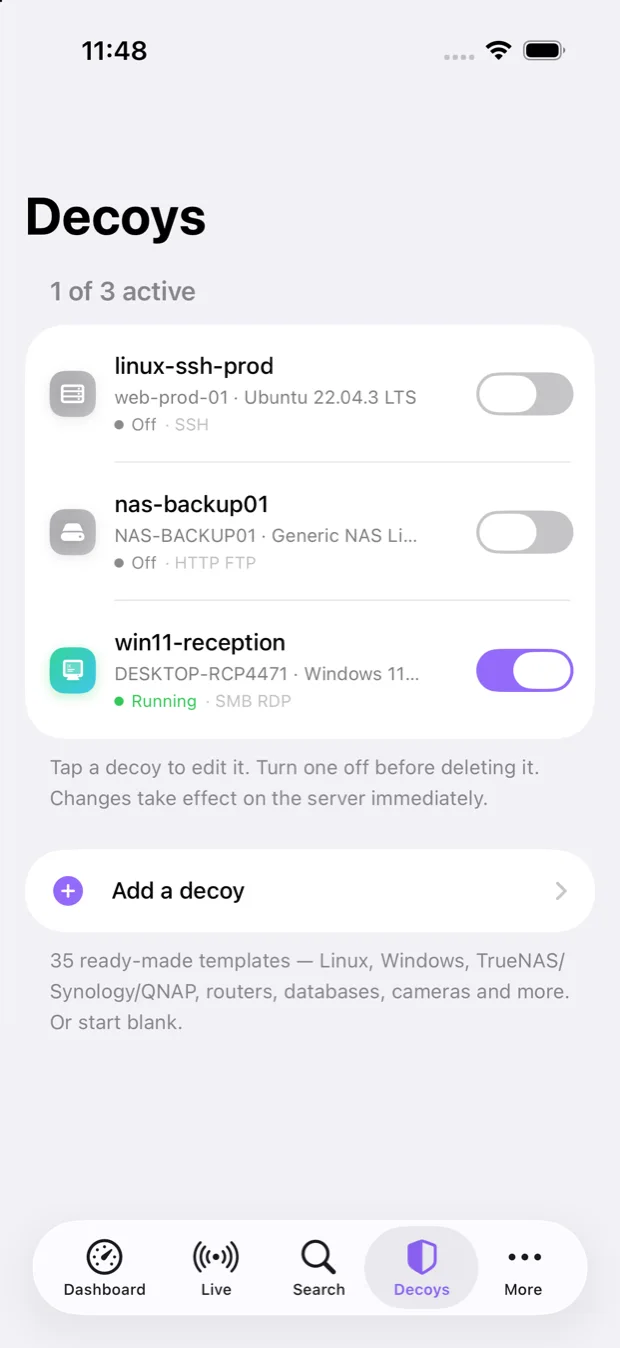
Pick what an attacker should find: a Linux server with SSH, a Windows PC with shared folders, a Windows file server, or a NAS. Every login attempt, password tried and file opened is recorded.
Tripwire files
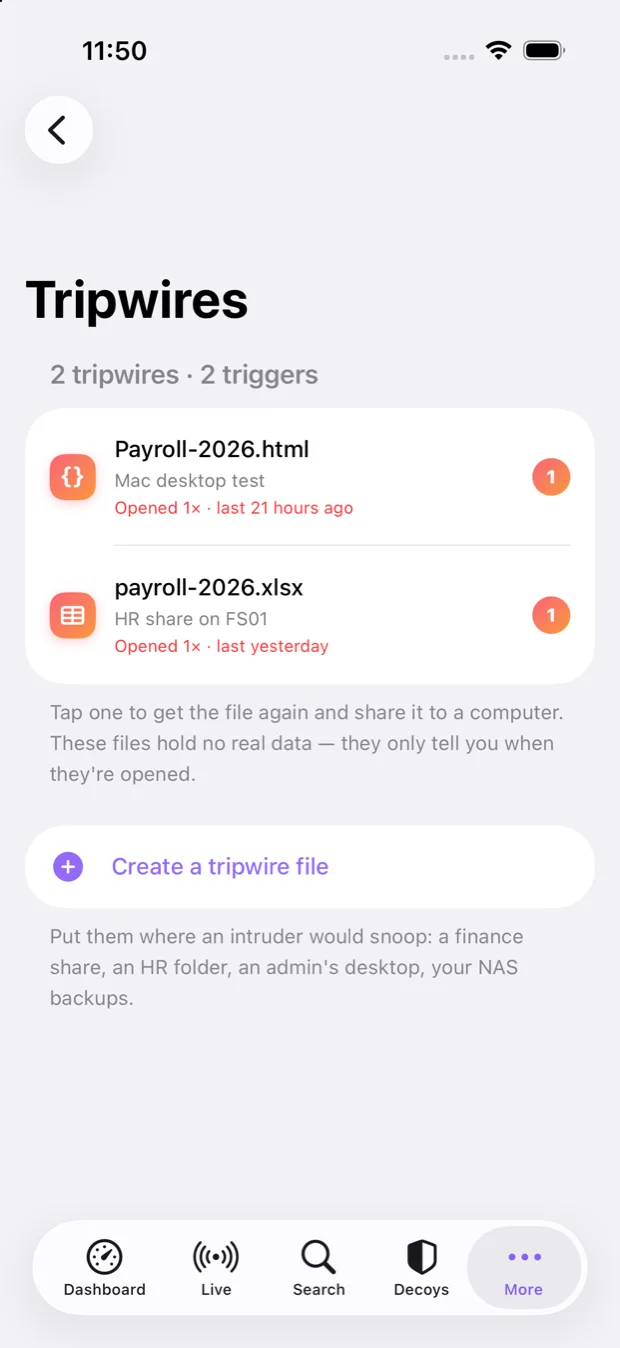
Plant bait on your real machines — a payroll document, a VPN shortcut. Opening one calls home and raises a critical alert, so you learn about an intruder on a PC you never suspected.
Alerts on your phone
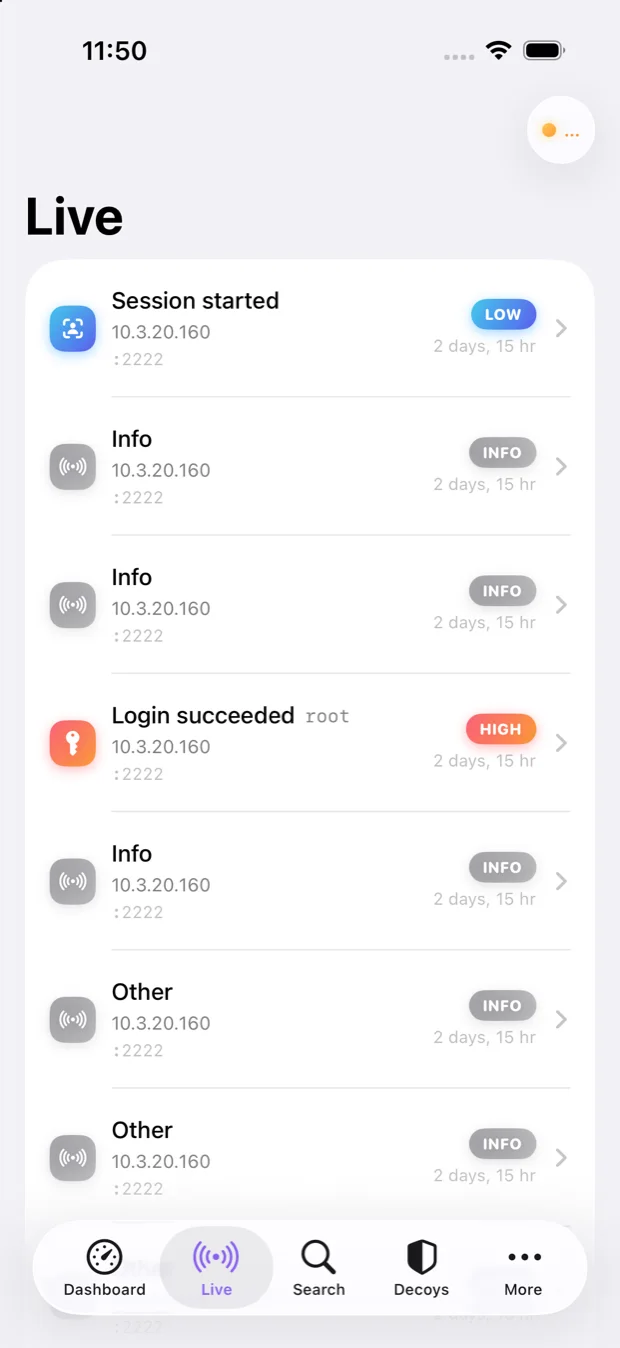
Push notifications in seconds, with a live feed, search and full event detail. Self-hosted alerting and email backup mean you are not depending on a single channel.
Runs on your hardware
Install from a USB stick onto any spare PC or mini server. Your captured data stays on your premises — none of it goes to us.
Watch it from your pocket
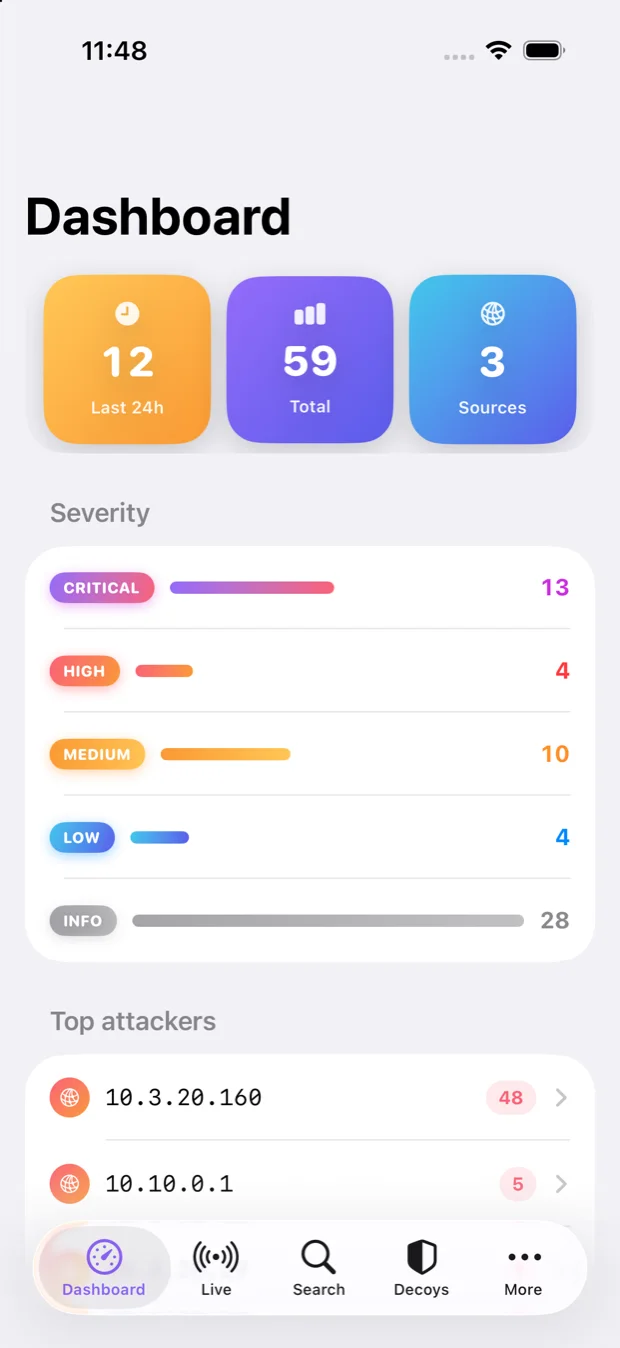
The companion app shows every decoy, every alert and every tripwire — and lets you manage more than one appliance from a single phone.
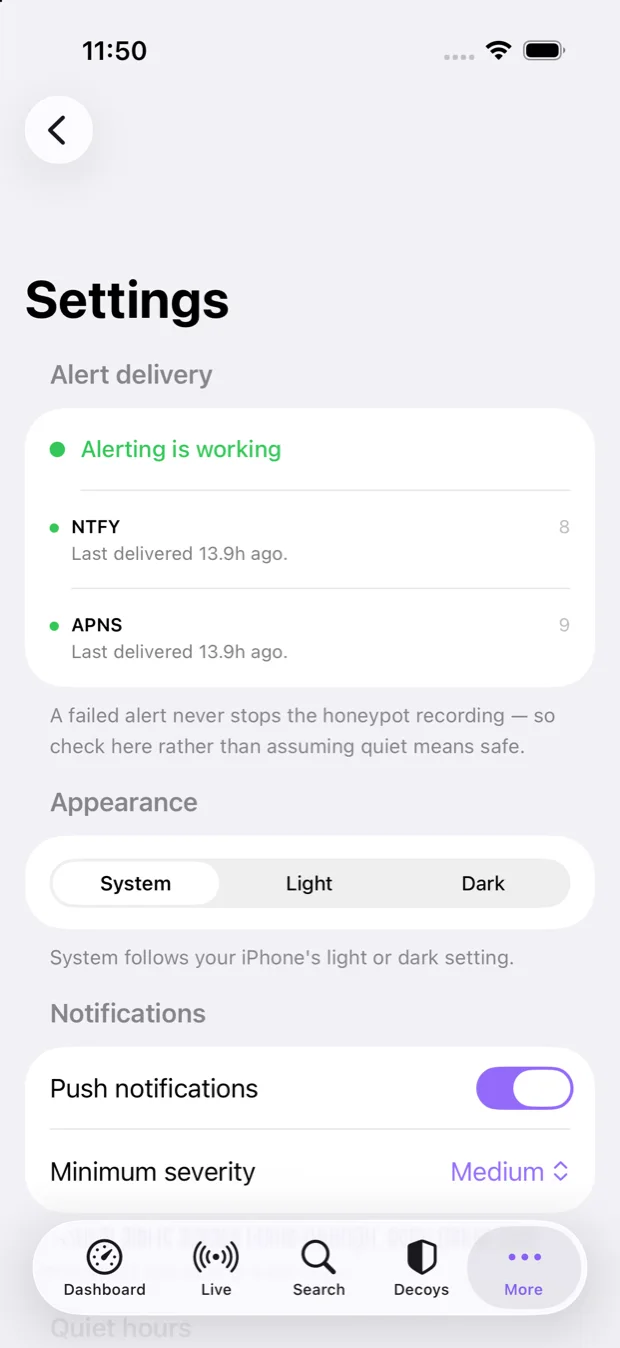
Honeypot Monitor
Face ID unlock, live feed, decoy control, tripwire management and multi-server switching.
App Store listing coming — currently in TestFlight beta.
Planned
An Android client is on the roadmap. In the meantime every alert is also available by self-hosted push and email, which work on any phone.
Built in
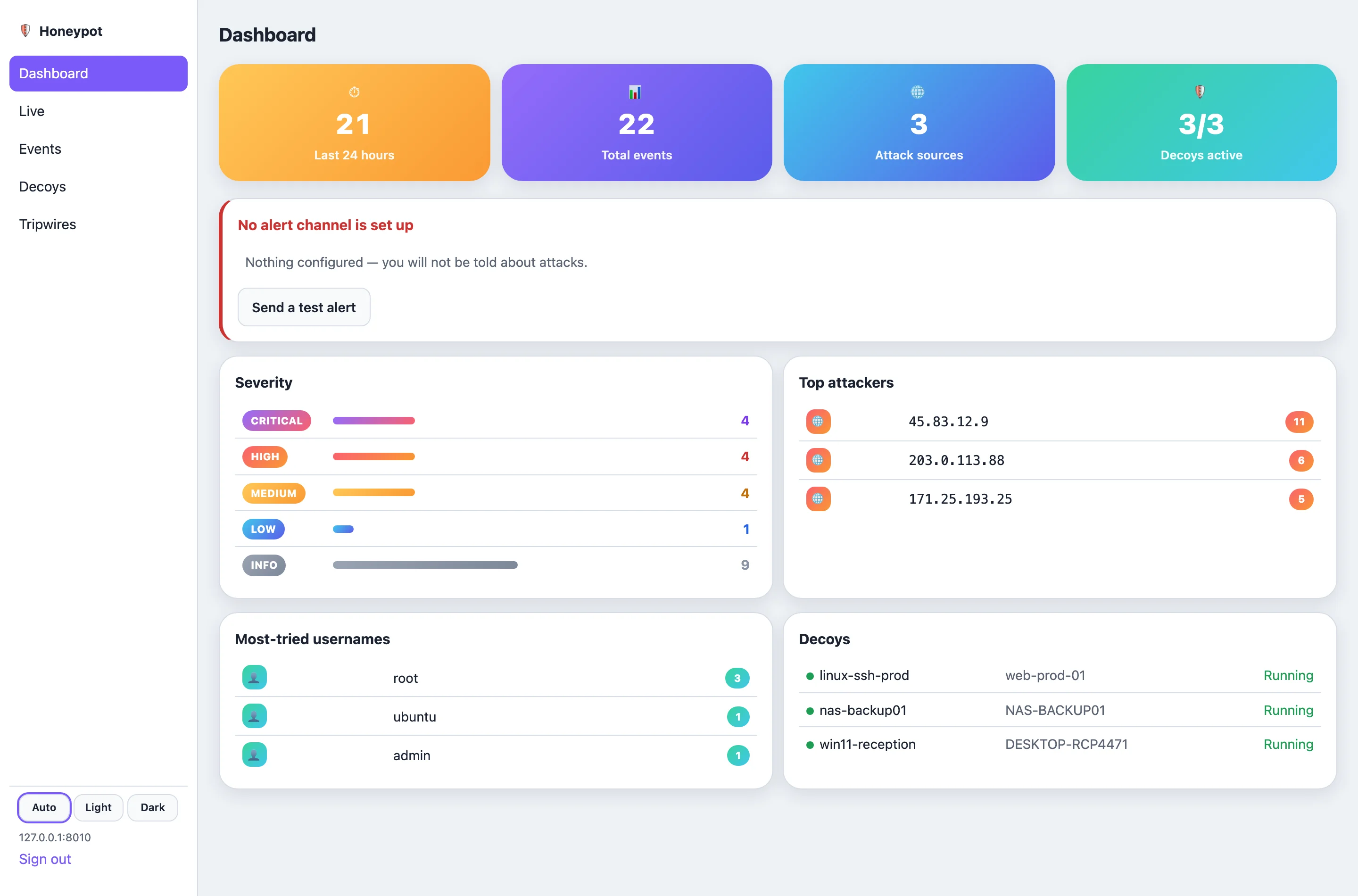
A browser console ships with the appliance, so you can review events from any machine on your admin network.
…or from any browser on your network
No app required to get started. The same dashboard — attack counts, severity, top sources, decoys — runs as a web console on the appliance itself.
Find out who is already inside
One appliance, one subscription, alerts that actually arrive. Launching soon — we're finishing verification first.
Coming soon